IBM Planning Analytics Release 2.0.96
IBM will soon release IBM Planning Analytics update 2.0.96. Below is a summary of the updates included: What's New in Books and Reporting? Use AI to...
2 min read
Planning Analytics Workspace content— books, views, dashboards, and applications— requires regular backups just like any other critical business asset. IBM Planning Analytics includes a built-in tool called Lifecycle Manager that handles this task.
Lifecycle Manager is an administrative feature in PAW primarily designed for migrating content between environments (for example, moving assets from development to production). However, it works equally well as a backup tool. You can create snapshots of your PAW content, export them as files, and restore them when needed.
Lifecycle Manager captures these PAW asset types:
Books and workbooks
Views
Dashboards
Folders and their contents
Applications
Plans
Note that Lifecycle Manager handles PAW front-end assets only— it does not back up the underlying TM1 database objects.
Log into PAW with administrator credentials.
Go to Administration and select the Lifecycle Management tab.
.png?width=1140&height=599&name=PAW%20Asset%20Backup%20(1).png)
Figure 1: Access Lifecycle Manager
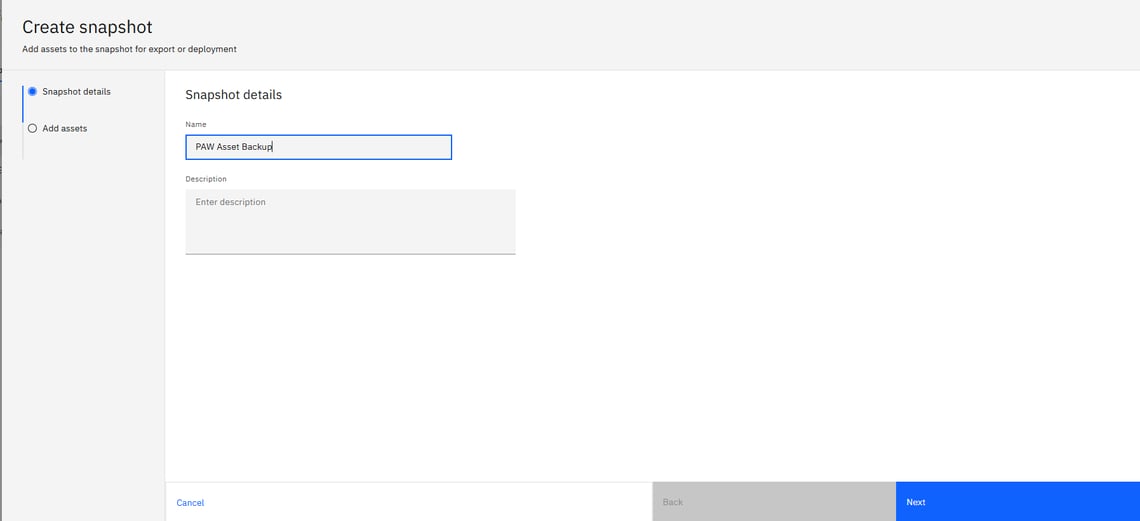
Figure 2: Create Snapshot
Use the filters (asset type, user, folder, TM1 database, or date) to find the content you want to back up.
Select the assets.
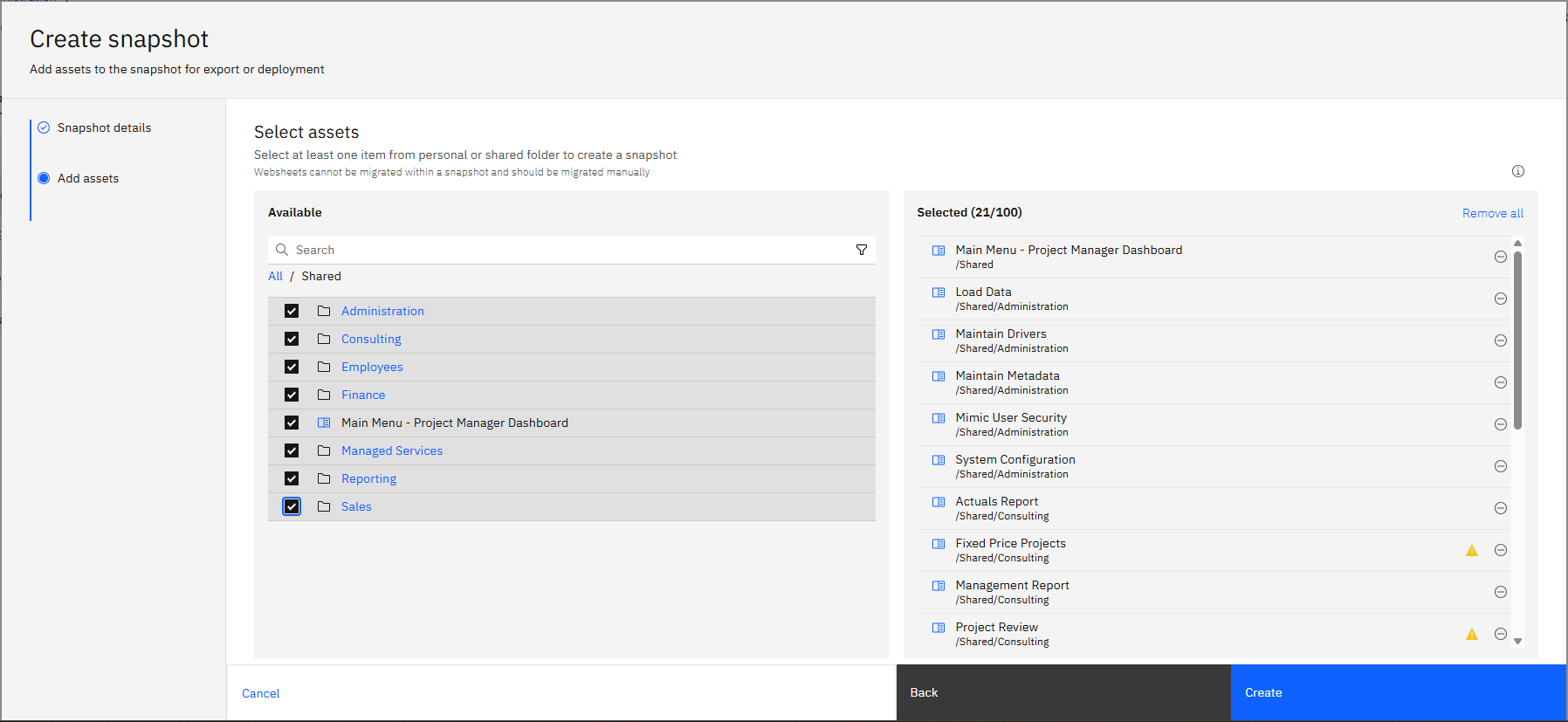
Figure 3: Add Assets
Click "Create" to store the snapshot.
"Export" to download it as a .gz file.
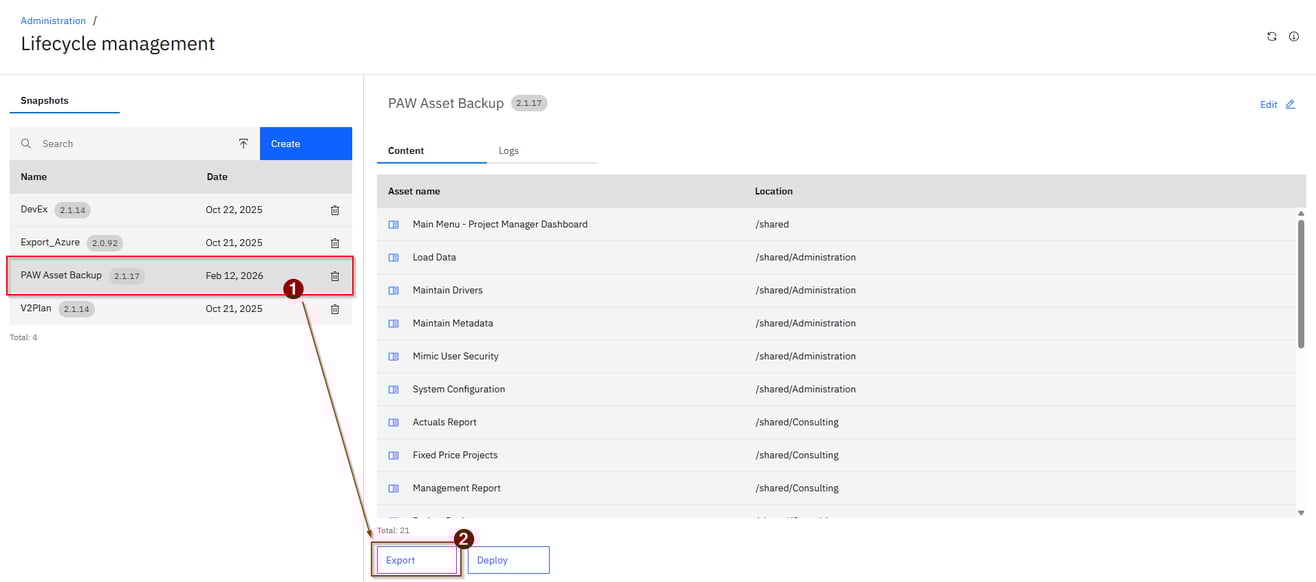
Figure 4: Export Backup File
The exported .gz file can be stored externally and imported back into any PAW environment later.
You have several options for storing backup files, depending on your version and deployment type.
Go to Lifecycle Management and click "Manage Snapshots.”
Select the snapshot you want to restore from
If restoring from an exported file, click "Import" and select your .gz file.
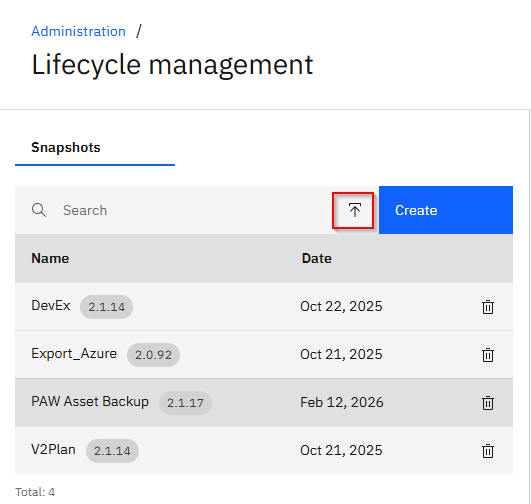
Click "Deploy" to restore the assets.
Move the restored content to the correct location and set permissions.
Create snapshots before making significant changes to PAW content.
Use clear naming conventions that include dates.
Export important snapshots as .gz files for off server storage.
Periodically test restores to verify backups are usable.