Replacing ExecuteCommand with ExecuteHTTPRequest in IBM PA V12
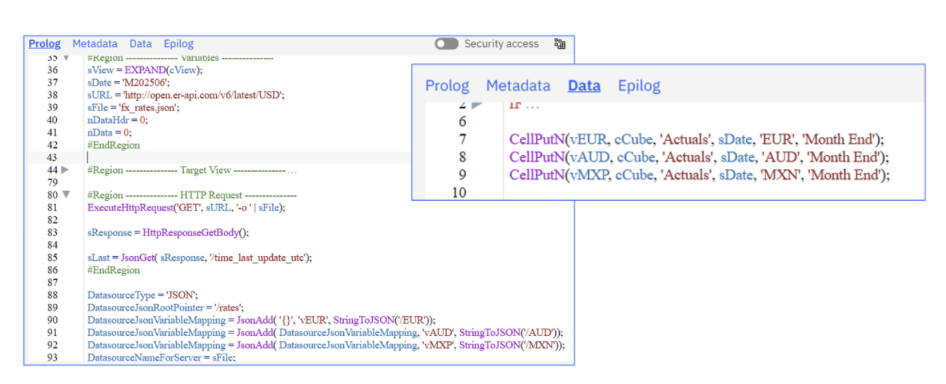
The following is a technical note discussing the replacement of ExecuteCommand with ExecuteHTTPRequest in the migration from IBM Planning Analytics...
3 min read
The shift from IBM Planning Analytics v11 on-prem to IBM Planning Analytics as a Service (IBM PA SaaS) promises modernization. It also requires careful planning. Here’s what you need to know before making the move.
IBM PA SaaS is a fully managed cloud solution deployed on Amazon Web Services (AWS) or MSFT Azure, supporting organizations in improved planning, budgeting and forecasting across the enterprise. At first glance, IBM PA SaaS provides some long-awaited capabilities:
Native high availability, automatic backups and isolated upgrades ensure minimal disruption
Direct API access from TurboIntegrator (TI)
Hosting in standard cloud data centers (AWS/Azure)
Nevertheless, migration to IBM PA SaaS also brings significant changes, including:
TI process adjustments
No command-line access (see our technical note on the deprecation of ExecuteCommand in IBM PA SaaS)
New ODBC gateway technology
New methods for file transfer and management (learn more about our solutions, including ACG SaaS Uploader and Google Cloud Storage integration)
New methods for deployments
With lots of modern amenities and some major adjustments, migrating to PA SaaS might make you feel like you're about to move house. To help you make an informed decision, the following article explores the potential move in more detail.
Before you begin, make sure you are familiar with the IBM PA SaaS environment. In your IBM cloud “instance”, there is a bucket of resources that you can manage independently. This allows you to:
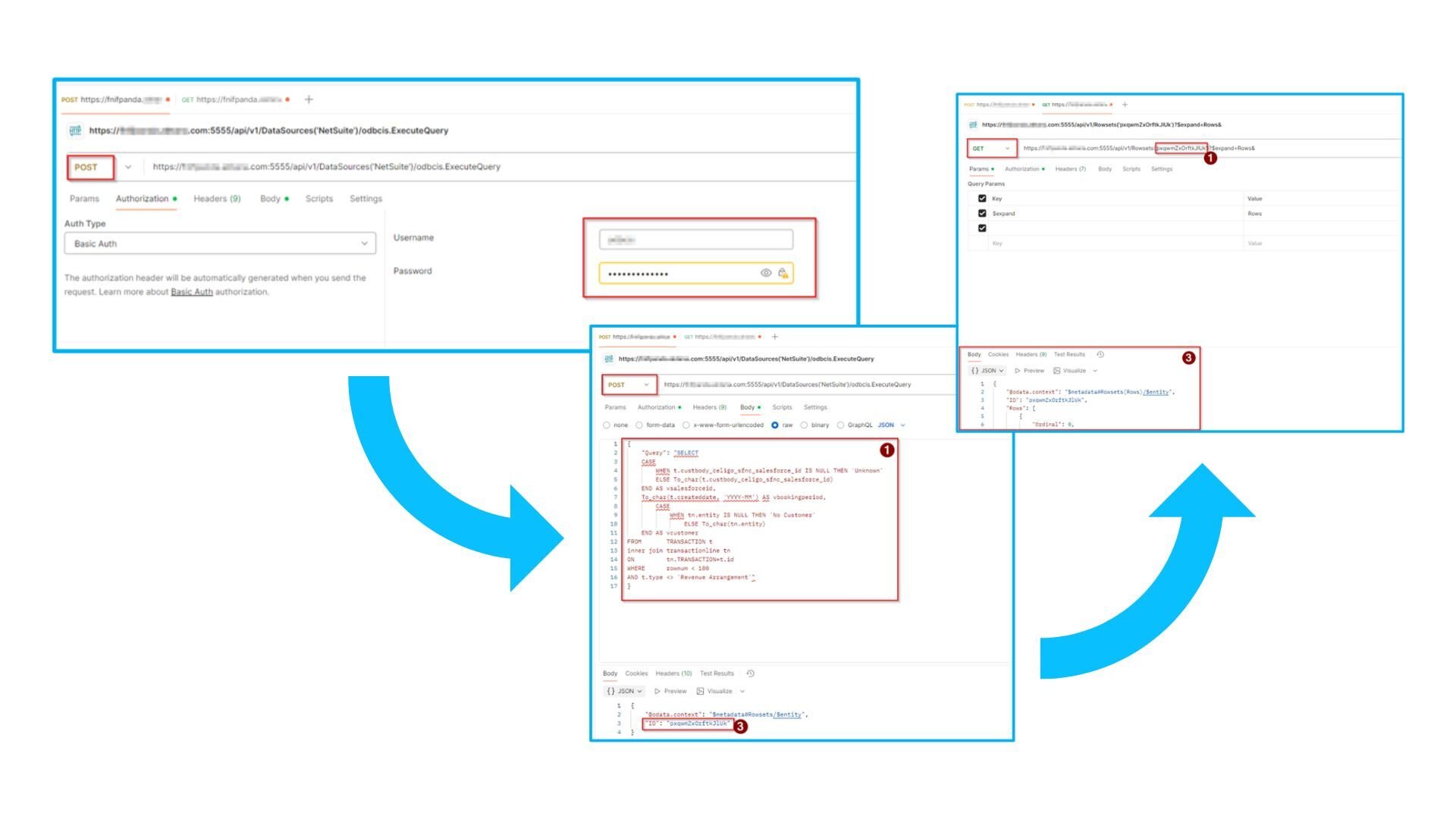
ODBC Data Connector – Using Postman
So how do we move select data between environments? Below is a detailed workflow outlining data migration via Git.
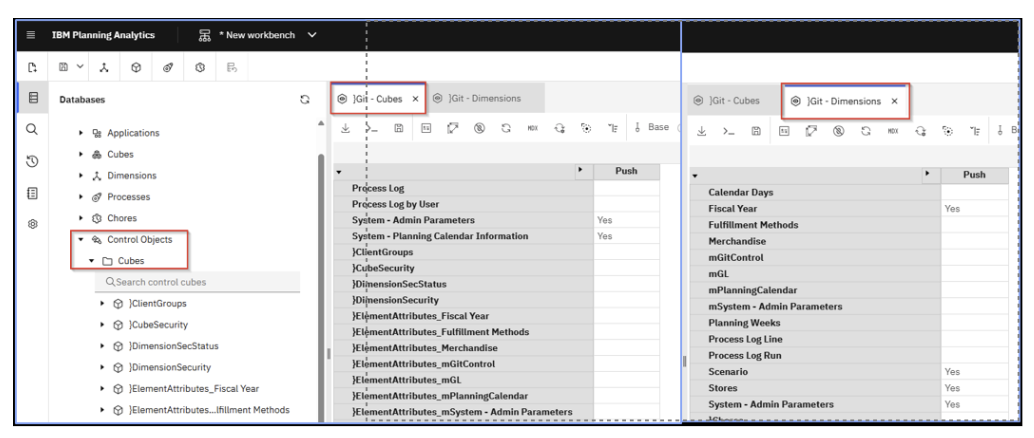
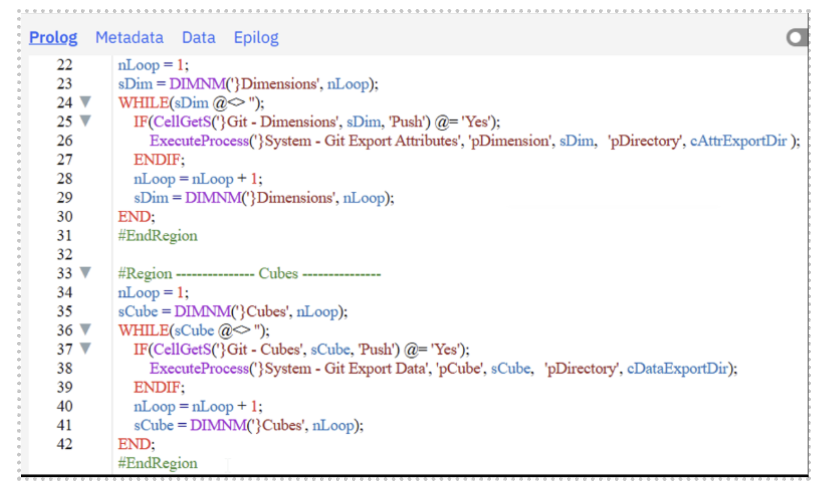
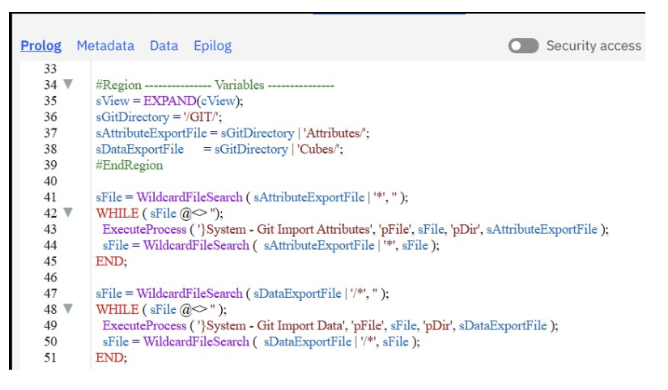
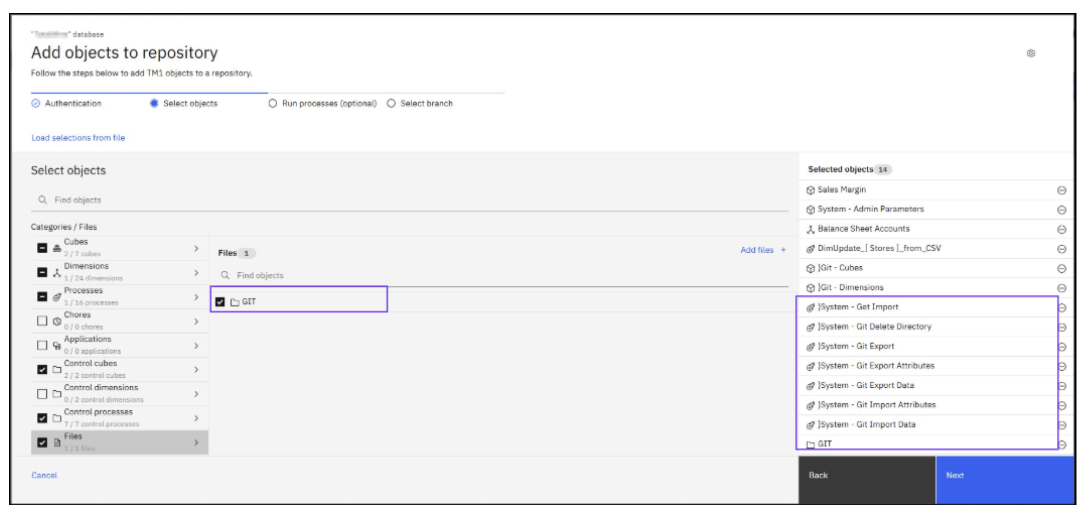
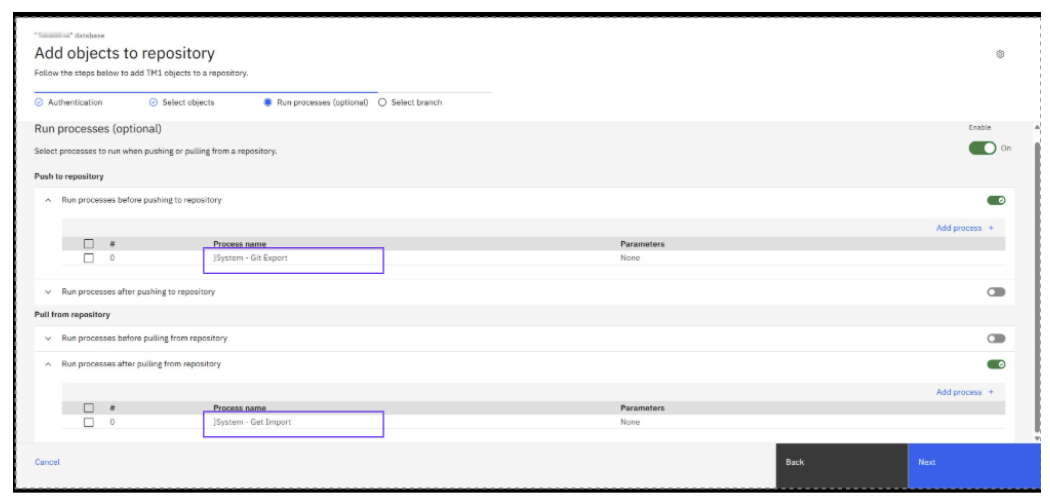
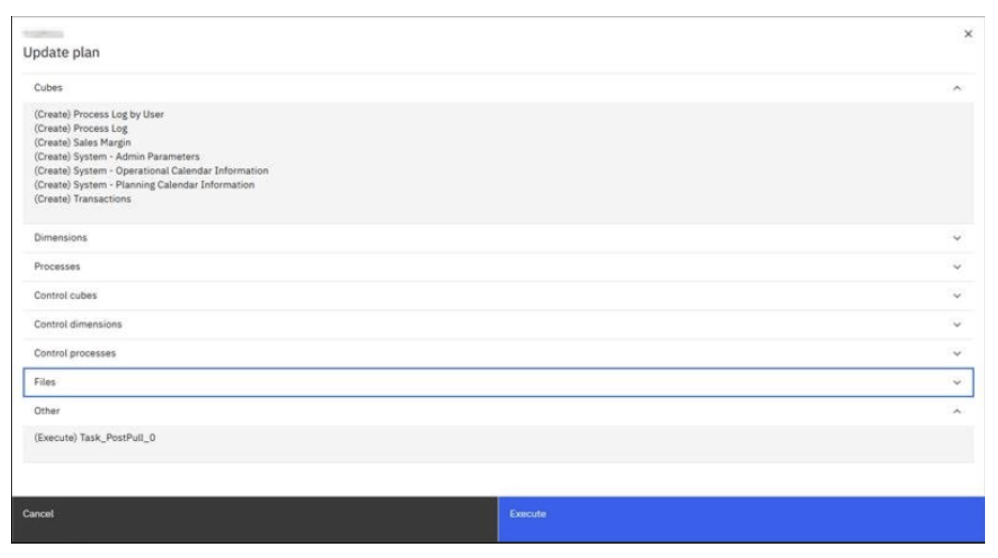
Plan for changes involving TM1Web (no longer available), deprecated TI functions (SaveDataAll, ExecuteCommand, etc.), and Control cubes (Stats, Application Security, Capabilities and others)
There will be a variety of post-migration adjustments you will have to make, including adjustments to:
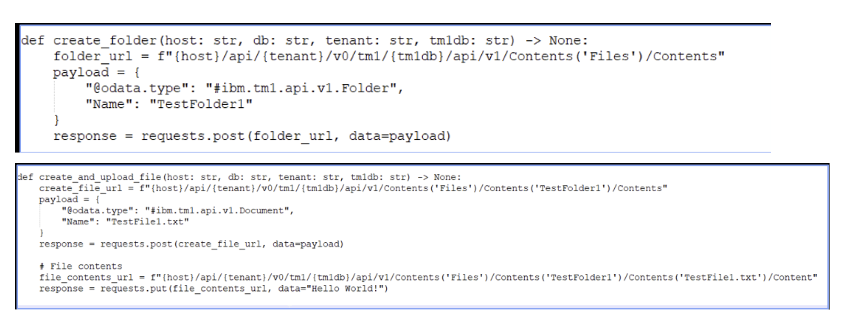
IBM PA SaaS is the future of Planning Analytics. While the migration requires significant technical adjustments, and some elements of the platform still need some work, its scalability, high availability and advanced analytics make the transition worthwhile. As IBM continues to enhance the platform, organizations can begin evaluating their environments and familiarizing themselves with the roadmap. Ultimately, moving to PA SaaS is not a question of if but when.
Reach out to us directly at solutions@acgi.com if you have any comments or questions, or would like to discuss in more detail.